
Ransomware: When Your Data Is Held Hostage and You're Forced to Pay

Yudi
Apr 30, 2026
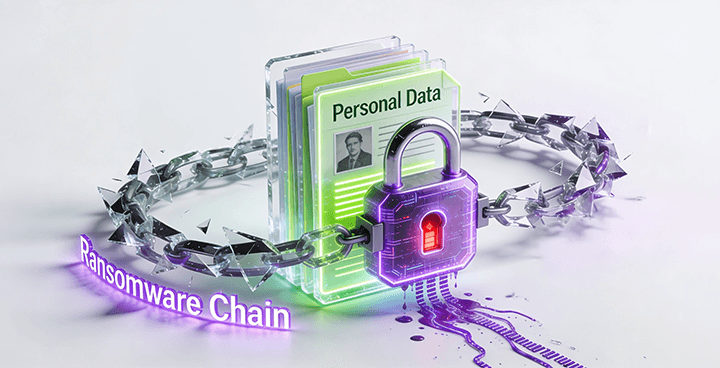
Table of contents
Introduction: When Your Morning Turns Into a Nightmare
What Is Ransomware?
How Big Is This Threat? Key Facts and Latest Data
How Does Ransomware Get Into Your Device?
The Danger of Careless Website Registration: Your ID, Email, and Photos Are Valuable Assets
How a Ransomware Attack Unfolds: From First Click to Ransom Demand
Who Are the Targets of Ransomware?
How to Protect Yourself from Ransomware
Conclusion: You Have the Power to Protect Yourself
Tags:
Introduction: When Your Morning Turns Into a Nightmare
Imagine opening your laptop on a regular morning. But instead of your usual desktop, you're greeted by a bright red message on your screen:

That is the reality of a ransomware attack — a threat that no longer targets only large corporations, but everyday individuals like you and me. Globally, cyberattacks continue to surge each year, and many victims are people who had never even heard the word 'ransomware' before it happened to them.
This article is written for everyone, regardless of your technical background. You will understand what ransomware is, how it works, and most importantly — how you can protect yourself from this growing threat.
What Is Ransomware?
The word 'ransomware' is a combination of two words: ransom and software (or 'ware'). Simply put, ransomware is a malicious program that sneaks into your device, locks or steals all your data, and then demands payment in exchange for returning access.
Think of it this way: imagine you accidentally left your house keys somewhere careless, and one day you come home to find a stranger has locked themselves inside your house. They shout from behind the door, 'Pay me first if you want back in!' That is essentially how ransomware works — except what gets locked is not your house, but every file and piece of data on your device.
Two Most Common Types of Ransomware Attacks
| Data Encryption (Crypto Ransomware) | Device Lockout (Locker Ransomware) |
|---|---|
Encrypts (scrambles) all your files — photos, documents, videos | Locks your entire device screen so you cannot access anything |
Files cannot be opened without a special decryption key | Often displays a fake police or government warning message |
The most common type seen today | Designed to create panic and urgency |
Examples: WannaCry, LockBit, Medusa, Akira | Examples: WinLocker, persistent fake alert pop-ups |
How Big Is This Threat? Key Facts and Latest Data
You might be thinking, 'This is only a problem for big companies.' But the data tells a very different story. Ransomware has become a global digital epidemic affecting individuals, hospitals, schools, small businesses, and governments alike.
Global Statistics 2025-2026
78%
Of companies worldwide experienced a ransomware attack in the past year. (CrowdStrike, 2026)
+58%
Surge in ransomware victims in 2025 compared to the previous year. (GuidePoint Security)
44%
Of all global data breaches involved ransomware. (Verizon DBIR, 2025)
$57B
Projected annual global losses from ransomware (in USD). (Mimecast, 2025)
24 days
Average time an organization needs to fully recover after a ransomware attack. (Varonis)
Real Case: The National Data Center Attack in Indonesia — June 2024
| REAL CASE: Ransomware Attack on Indonesia's PDNS — June 2024 |
|---|
On June 20, 2024, Indonesia's Temporary National Data Center (PDNS) in Surabaya was attacked by the group "Brain Cipher". Impact: 210 government agencies were disrupted, including airport services and national information systems. The attackers demanded a ransom of US$8 million (≈ IDR 131 billion). The government refused to pay and recovered the system within 72 hours with assistance from BSSN. Source: cyberstudio.id — "5 Cases of Personal Data Breaches in Indonesia" |
How Does Ransomware Get Into Your Device?
This is the most critical question: where does the attack come from? Ransomware does not appear out of thin air — it always has a point of entry. Understanding these entry points is the foundation of your defense.
5 Main Entry Point for Ransomware
Phishing Emails (Bait via Email)
The most common method. You receive an email that appears legitimate — from a bank, an online store, or a government agency — containing a dangerous link or attachment. Once clicked, ransomware is immediately installed. According to Sophos 2025, 18% of ransomware attacks began with a phishing email.
Malicious Links & Files via WhatsApp / Social Media
Extremely common in Indonesia. You receive an APK file disguised as a wedding invitation, package delivery notice, 'traffic ticket', or 'tax application'. Once installed, the malware steals data or locks your device. Never install APK files from unofficial sources!
Software Security Vulnerabilities
If you rarely update your apps or operating system, your device becomes a target. A total of 32% of ransomware attacks in 2025 originated from unpatched software vulnerabilities. (Sophos State of Ransomware 2025)
Weak or Stolen Passwords
If your password is easy to guess or has been exposed in a previous breach, hackers can log in and plant ransomware. About 23% of attacks in 2025 began with compromised credentials. (Sophos 2025)
Personal Data Leaked from Website Registrations
This is often overlooked! Your email, phone number, and even your ID card photo submitted to unsecured websites can become the starting point of an attack. This data allows hackers to craft highly personalized phishing messages — ones that seem to genuinely 'know' you.
The Danger of Careless Website Registration: Your ID, Email, and Photos Are Valuable Assets
In today's digital world, almost every online service asks for personal information during sign-up: full name, email, phone number, and sometimes even a photo of your government-issued ID and a selfie. Unfortunately, many of us fill in these forms without a second thought — and that is exactly what cybercriminals exploit.
Why Is Your Personal Data So Valuable to Hackers?
Personal data such as your national ID number, full name, address, date of birth, and phone number is the 'fuel' of digital crime. With this information, attackers can:
Craft highly personalized phishing messages that feel as though the sender truly knows you
Take out illegal online loans (pinjol) in your name
Steal your identity to open new bank accounts or digital wallets
Sell your data on the dark web to be exploited by other criminal parties
Use it as the starting point to plant ransomware via targeted emails or messages
What You Should Watch Out for When Registering on a Website
Indonesia's Director General of Dukcapil has emphasized that personal data such as your National ID number (NIK), name, address, and date of birth is highly sensitive and can be misused if it falls into the wrong hands. Here is a practical guide:
| Never do this | Always do this |
|---|---|
Submit your ID card photo to unknown apps or websites | Only share data with official, trusted platforms (check OJK registration, official licenses) |
Take a selfie holding your ID for unverified services | Check if the website uses a secure connection (https://) and has a clear privacy policy |
Fill out registration forms sent via WhatsApp links | Use a separate email (not your main one) when signing up for new or unfamiliar websites |
Upload personal photos on unrecognized platforms | Enable Two-Factor Authentication (2FA) on all important accounts |
Use the same password across multiple accounts | Use a different, strong, unique password for every platform |
Click links from emails or messages without verification | When in doubt, type the website address directly in your browser — never click a link |
How a Ransomware Attack Unfolds: From First Click to Ransom Demand
To help you understand the real danger, here is a step-by-step breakdown of a typical ransomware attack — from beginning to end — explained in plain language.
Phase
What Happens
1. Silent Entry
You unknowingly open an email, click a link, or install a malicious file. Ransomware enters the system silently — there are no warning signs at this stage.
2. Spreading & Mapping
Over hours or even days, the ransomware quietly spreads throughout your device and network, mapping and identifying your most important files.
3. Data Lockdown
At a chosen moment, ransomware encrypts all your files — documents, photos, videos, databases — making everything completely inaccessible.
4. Threat Displayed
Suddenly, a message appears on your screen: your data is locked, and you must pay a ransom within a set time or your files will be deleted forever. Often accompanied by a countdown timer.
5. Payment Demanded
Hackers demand payment via cryptocurrency (Bitcoin, etc.) to make it extremely difficult to trace. Amounts range from hundreds of dollars to millions.
6. No Guarantee After Paying
Even if you pay, there is no guarantee your data will be returned. Many victims permanently lose their data even after paying the full ransom.
Who Are the Targets of Ransomware?
One major myth needs to be dispelled right away: ransomware does not only target large enterprises. The latest data reveals a far more alarming picture.
Healthcare & Hospitals The most frequently attacked sector. By mid-2025, 54% of global healthcare organizations had experienced a ransomware attack. (Verizon 2025) | Government & Schools A 65% surge in attacks on government bodies in the first half of 2025. Schools and universities are also prime targets. | Individuals & Small Businesses Not just corporations! Everyday individuals and SMEs are increasingly targeted because of weaker defenses. |
How to Protect Yourself from Ransomware
The good news is: you can protect yourself with steps that require no advanced technical expertise. Here is a practical guide you can start applying today.
A. Essential Defenses You Must Have
Back Up Your Data Regularly
This is your strongest defense. Keep a copy of your important data in a separate location — an external hard drive OR cloud storage (Google Drive, iCloud, OneDrive). If you're attacked, you can restore your data without paying any ransom. Back up at least once a week!
Keep Your System and Apps Updated
Software updates are not just about new features — they contain critical security patches. Never delay an update! Click 'Update' when your system prompts you. Remember: 32% of attacks start from software vulnerabilities that were never patched.
Use Strong, Unique Passwords for Every Account
Avoid passwords like '12345678' or your date of birth. Use a combination of uppercase letters, lowercase letters, numbers, and symbols. Even better, use a password manager like Bitwarden or Google Password Manager to generate and store secure passwords.
Enable Two-Factor Authentication (2FA)
2FA adds a critical second layer of security. Even if your password is stolen, a hacker still cannot log in without the verification code sent to your phone. Enable it on all important accounts: email, banking, and social media.
Install Antivirus and Enable Your Firewall
A regularly updated antivirus can detect ransomware before it executes. Windows and Mac both have built-in protection (Windows Defender, Gatekeeper) — make sure they are enabled. For extra protection, consider a reputable paid antivirus solution.
B. Safe Digital Habits to Practice Every Day
Never click links carelessly, especially those sent via WhatsApp, SMS, or email — even if they appear official
Always verify first: if you receive an email from your bank or a government agency, go directly to their official website in your browser — do not click the link in the email
Never install apps from outside official stores (Google Play Store / Apple App Store)
Never plug in unknown USB drives or external hard drives into your device
Use secure Wi-Fi networks. Avoid public Wi-Fi for important transactions
Be skeptical of any unexpected request for your personal information
C. If You've Already Been Attacked — What to Do
| Emergency Guide if You Are Hit by Ransomware |
|---|
1. DO NOT PANIC and DO NOT PAY immediately — paying does not guarantee your data will be returned 2. Disconnect your device from the internet immediately (turn off Wi-Fi, unplug the LAN cable) to prevent further spread 3. Do NOT shut down your computer — some recovery tools require the system to remain on 4. Report the incident to your national cybersecurity agency (e.g., BSSN at bssn.go.id for Indonesia) 5. Try FREE decryption tools at NoMoreRansom.org — many ransomware variants already have available keys 6. Consult a professional cybersecurity expert before making any further decisions Recommended sources: CISA, FBI IC3, NoMoreRansom.org |
Conclusion: You Have the Power to Protect Yourself
Ransomware is a real and growing threat. But that does not mean you are powerless. The vast majority of successful attacks happen because of a lack of awareness and simple negligence — not because hackers are extraordinarily sophisticated. With the right knowledge and good digital habits, you are already one step safer.
Keep these key points in mind:
Back up your data regularly to a separate location — this is your lifeline if an attack happens
Never carelessly share your ID card photo, selfies, email, or phone number on unverified websites
Keep your devices updated and use strong, unique passwords for every account
Enable Two-Factor Authentication (2FA) on all important accounts
Be skeptical of unsolicited links, emails, and files — even if they look official
Sources & References
This article was compiled using data from the following trusted sources:
FBI Internet Crime Complaint Center (IC3) — 2025 Annual Report (released April 6, 2026)
Verizon Data Breach Investigations Report (DBIR) 2025
Sophos State of Ransomware 2025
CrowdStrike 2026 Global Threats Report
IBM X-Force Threat Intelligence Index 2026
World Economic Forum — Global Cybersecurity Outlook 2026
GuidePoint Security — Ransomware Report 2025
BSSN (National Cyber and Crypto Agency, Indonesia) — Cybersecurity Report
Komdigi (Ministry of Communication and Digital, Indonesia) — Data Breach Statistics 2021-2024
cyberstudio.id — '5 Cases of Personal Data Breaches in Indonesia' (December 2025)
NoMoreRansom.org — Free ransomware decryption platform (Europol & FBI)
Continue Reading
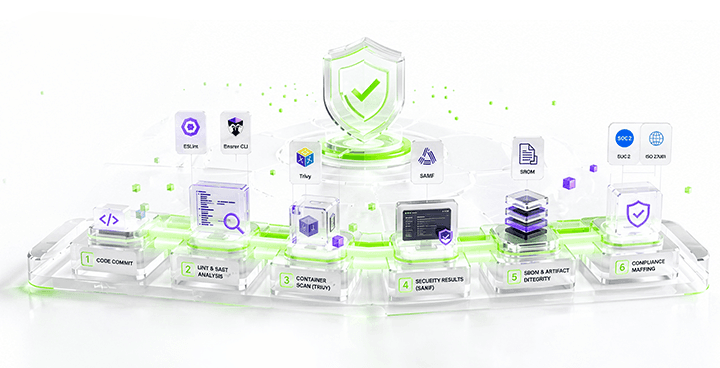
The Secure SDLC Acceleration Framework (SSAF)
This article is about Secure Software Development Life Cycle (SDLC) Acceleration Framework (SSAF) model for embedding continuous security into every stage of the software delivery pipeline with security checks.
Read More
AES Encryption - Unbreakable Algorithm, Breakable Systems
The Advanced Encryption Standard is a symmetric block cipher that operates on fixed 128-bit blocks of data. "Symmetric" means the same key locks and unlocks the data — unlike RSA or elliptic-curve schemes where encryption and decryption use different keys. AES accepts key lengths of 128, 192, or 256 bits, with the number of internal transformation rounds scaling accordingly: 10 rounds for AES-128, 12 for AES-192, and 14 for AES-256.
Read More
Ransomware: Understanding the Growing Threat and How to Protect Against It
Ransomware is a type of malicious software designed to block access to a computer system until a sum of money is paid. As cybercriminals continue to evolve their tactics, understanding the nature of ransomware and implementing effective prevention strategies is crucial for organizations.
Read More
Alert Fatigue: The Silent Threat That Turns Critical Warnings into Background Noise
In the world of cybersecurity, alerts are meant to be the first line of defense against potential threats. However, the sheer volume of alerts that security teams receive can lead to a phenomenon known as alert fatigue, where analysts become desensitized to warnings and may miss genuine threats.
Read More
Security Awareness Training: Building a Culture of Cyber Resilience
Employees are often the weakest link in an organization's security system because they may forget important information and are vulnerable to fraud. Security awareness training helps employees understand the risks, threats, and vulnerabilities that can be targeted. This training teaches them how to protect the organization's network and data, especially for organizations operating in the IT sector, where employees who use devices are often the target of cyber attacks.
Read More

State of the Art: Architecture, Training, and Engineering of Large Language Models
The foundational pillar of modern Large Language Models (LLMs) rests upon the Transformer architecture, a computational paradigm that fundamentally altered natural language processing through the Self-Attention mechanism. Unlike recurrent networks that process data sequentially, Self-Attention allows every token within an input sequence to interact with all other tokens simultaneously. This generates a highly contextualized representation space capable of capturing long-range dependencies without rigid structural boundaries.
Read More


© 2025 Tjakrabirawa Teknologi Indonesia. All Rights Reserved.